Archive for the 'irON' Category

Role and Use of Ontologies in the Open Semantic Framework

Ontologies are to the Open Semantic Framework what humans were to the Mechanical Turk. The hidden human in the Mechanical Turk was orchestrating all and every chess move. However, to the observers, the automated chess machine was looking just like it: a new kind of intelligent machine. We were in 1770.

Ontologies plays exactly the same role for the Open Semantic Framework (OSF): they orchestrate all and every moves for all the pieces within OSF. They are what instructs structWSF, the Semantic Components, conStruct, and all other derivate pieces of user interfaces how to behave.

In this (lengthy) blog post, I will present the main ontologies that have an impact on different parts of OSF. We will see how different ontology classes and properties, and how the description of the records indexed in the system, can impact the behaviors of OSF.

In addition to this post, Mike has also published a blog post today that overviews the overall OSF ontology modularization and architecture.

Continue reading ‘Role and Use of Ontologies in the Open Semantic Framework’

Moving Projects from Google Code to GitHub

Last week we slowly migrated Structured Dynamics‘ Google Code Projects to GitHub.We have been thinking about moving to GitHub for some time now, but we only wanted to move projects to it if no prior history and commits were dropped in the process. One motivation for the possible change has been the seeming lack of support by Google for certain long-standing services: we are seeing disturbing trends across a number of existing services. We also needed a migration process that would work with all of our various projects, without losing a trunk, branch, tag or commits (and their related comments).

It was not until recently that I found a workable process. Other people have successfully migrated Google Code SVN projects to GitHub, but I had yet to find a consolidated guide to do it. It is for this last reason that I write this blog post: to help people, if they desire, to move projects from Google Code to GitHub.

Moving from Google Code to GitHub

The protocol outlined below may appear complex, but it looks more intimidating than it really is. Moving a project takes about two to five minutes once your GitHub account and your migration computer is properly configured.

You need four things to move a Google Code SVN project to GitHub:

  1. A Google Code project to move
  2. A GitHub user account
  3. SSH keys, and
  4. A migration computer that is configured to migrate the project from Google Code to GitHub. (in this tutorial, we will use a Ubuntu server; but any other Linux/Windows/Mac computer, properly configured, should do the job)

Create GitHub Account

If you don’t already own a GitHub account, the first step is to create one here.

Create & Configure SSH Keys

Once your account has been created, you have to create and setup the SSH keys that you will use to commit the code into the Git Repository on GitHub:

  1. Go to the SSH Keys Registration page of your account
  2. If you already have a key, then add it to this page, otherwise read this manual to learn how to generate one

Configure Migration Server

The next step is to configure the computer that will be used to migrate the project. For this tutorial, I use a Ubuntu server to do the migration, but any Windows, Linux or Mac computer should do the job if properly configured.

The first step is to install Git and Ruby on that computer:

1
 sudo apt-get install git-core git-svn ruby rubygems

To perform the migration of a Google Code SVN project to GitHub, we are using a Ruby application called svn2git that is now developed by Kevin Menard. The next step is to install svn2git on that computer:

1
 sudo gem install svn2git --source http://gemcutter.org

Migrate Project

Before migrating your project, you have to link the Google Code committers to GitHub accounts. This is done by populating a simple text file that will be given as input to svn2git.

Open the authors.txt file into a temporary folder:

1
 sudo vim /tmp/authors.txt

Then, for each author, you have to add the mapping between their Google Code and GitHub accounts. If a Google Code committer does not exist on GitHub, then you should map it to your own GitHub account.

1
2
 (no author) = Frederick Giasson <fred@f...com>
 fred@f...com = Frederick Giasson <fred@f...com>

The format of this authors.txt file is:

1
 Google-Account-Username = Name-Of-Author-On-GitHub <Email-Of-Author-On-Github

Take note of the first Google Code committer (no author) mapping. This link is required for every authors.txt file. This placeholder is used to map the initial commit performed by the Google Code system. (When Google Code initializes a new project, it uses that username for creating the first commit of any project.)

When you are done, save the file.

Now that set up is complete, you are ready to migrate your project. First, let’s create the folder that will be used to checkout the SVN project on the server, and then to push it on GitHub.

1
2
3
cd /tmp/
mkdir myproject
cd myproject

In this tutorial, we have a normal migration scenario. However, your migration scenario may differ from this one. It is why I would suggest you check out the different scenarios that are supported by svn2git document. Change the following command accordingly. Let’s migrate the Google Code SVN Project into the local Git repository:

1
 /var/lib/gems/1.8/bin/svn2git http://myproject.googlecode.com/svn --authors /tmp/authors.txt --verbose

Make sure that no errors have been reported during the process. If it is the case, then refer to the Possible Errors and Fixes section below to troubleshoot your issue.

The next step is to create a new GitHub repository where to migrate the SVN project. Go to this GitHub page to create your new repository. Then you have to configure Git to add a remote link, from the local Git repository you created on your migration computer, to this remote GitHub repository:

1
 git remote add origin git@github.com:you-github-username/myproject.git

Finally, let’s push the local Git repository master, branches and tags to GitHub. The first thing to push onto GitHub is the SVN’s trunk. It is done by running that command:

1
 git push -u origin master

Then, if your project has multiple branches and tags, you can push them, one by one, using the same command. However, you will have to replace master by the name of that branch or tag. If you don’t know what is the exact name of these branches or tags, you can easily list all of them using this Git command:

1
 git show-ref

Once you have progressed through all branched and tags, you are done. If you take a look at your GitHub project’s page, you should see that the trunk, branches, tags and commits are now properly imported into that project.

Possible Errors And Fixes

Fatal Error: Not a valid object name

There are a few things that can go wrong while trying to migrate your project(s).

One of the errors I experienced is a "fatal" error message "Not a valid object name". To fix this, we have to fix a line of code in svn2git. Open the migration.rb file. Check around the line 227 for the method fix_branches(). Remove the first line of that method, and replace the second one by:

1
 svn_branches = @remote.find_all { |b| !@tags.include?(b) && b.strip =~ %r{^svn\/} }

Error: author not existing

While running the svn2git application, the process may finish prematurely. If you check the output, you may see that it can’t find the match for an author. What you will have to do is to add that author to your authors file and re-run svn2git. Otherwise you won’t be able to fully migrate the project.

I’m not quite sure why these minor glitches occurred during my initial migrate, but with the simple fixes above you should be good to go.

Getting Data Out of MyPeg.ca using structWSF Endpoints

A few weeks ago I presented the new MyPeg.ca community indicators web portal for Winnipeg's citizens. I explained how in MyPeg.ca we leverage Structured Dynamics' semantic technologies stack (akaThe Semantic Muffin). Today's blog post explains one facet of the project that shows how external agents (people, services, software, etc.) can interact with the system's indicator datasets using the structWSF web service endpoints.Since this post focuses only on data export, I suggest you read the structWSF Web Services Tutorial for a complete overview of how the endpoints architecture works.

Merging Pipes

Two Main structWSF Characteristics: Accessibility & Management

structWSF is a set of 22 web service endpoints that lets you integrate data from different sources, manage that integrated data, and publish it via different communication channels such as web pages, software applications, etc.

Obviously, the main characteristic of this framework is that everything is a web service. This means that all functionality of the system can be accessed from anywhere on the Internet. However, this doesn't mean that everything is open like a snack-bar. In fact, there are two levels of accessibility: (1) access to the web service endpoint's URL, and (2) access to the content of datasets hosted on structWSF. Depending on the usecase, people could restrict the direct access to the web service endpoint(s) by properly configuring their web server, others could choose to let anyone access the endpoints, but would restrict the access to the dataset(s) hosted by structWSF. In case of MyPeg.ca, the sponsor chose to open the access to their web service endpoints and datasets.

Just by surfing on the MyPeg.ca portal, you are already leveraging these endpoints in multiple different ways. First, each time you generate a browse or a search Web page, you are telling the web server to send multiple queries to different endpoints; then the web page's content will be populated with that information and presented to you. But, each time you click on an explorer node, your web browser is also sending queries to exactly the same web service endpoints. So, in one case a PHP script acts to query the endpoints; and, in other cases, a Flash Semantic Component does. Depending, all structWSF data can be accessed from quite different environments.

The other main characteristic of structWSF is that any kind of data can be imported in, and exported out, of the system. structWSF leverages RDF (Resource Description Framework) as the canonical data format that can be used to express any other formats. It is because of the usage of RDF that structWSF can act as an effective ETL (Extract, transform, load) system. Depending on the web service endpoint, the output formats currently supported by most of the endpoints are:

But the architecture of the web service endpoints can easily accommodate other formats if needed for a specific usecase.

Getting Data Out Of MyPeg.ca

Now, how can you get data out of MyPeg.ca? There are really two methods. This blog post discusses the CRUD: Read, Browse and Search web service endpoints. In my next blog post, I will focus on using the SPARQL web service endpoint to do the same.

All of the query examples in this blog post will use a tool called Curl to send the queries and to get back the resultsets. I encourage you to download and use that tool to test these endpoints and to gain a feeling for how it works. Also note that only the first record of each resultset is recorded below (of course, the actual results include all records).

Browse

The Browse web service endpoint is used to return lists of records. These records can also be filtered according to their provenance (dataset), type and the attributes that describe them. Now, let's see how you can use this web service to get data out of MyPeg.ca.

First, there are three datasets available to the public:

  1. Well-being Indicators (http://www.mypeg.ca/wsf/datasets/258/)
  2. Stories (http://www.mypeg.ca/wsf/datasets/272/)
  3. PEG Framework (http://www.mypeg.ca/wsf/datasets/249/)

The resultsets can be serialized using one of these four different formats:

  • text/xml (structXML)
  • application/json (structXML in JSON)
  • application/rdf+xml (RDF/XML)
  • application/rdf+n3 (RDF/N3)

Note: if one of your desired formats is not directly available at the endpoint level, you can always use one of the converter web service endpoints such as: commON, irJSON or TSV/CSV.

Get the first 10 results of the Stories dataset in structXML

Query:

curl -H "Accept: text/xml" "http://www.mypeg.ca/ws/browse/" -d "attributes=all&amp;types=all&amp;datasets=http%3A%2F%2Fwww.mypeg.ca%2Fwsf%2Fdatasets%2F272%2F&amp;items=10&amp;page=0&amp;inference=on&amp;include_aggregates=true"

StructXML resultset:

<?xml version="1.0" encoding="utf-8"?>
<resultset>
<prefix entity="owl" uri="http://www.w3.org/2002/07/owl#"/>
<prefix entity="rdf" uri="http://www.w3.org/1999/02/22-rdf-syntax-ns#"/>
<prefix entity="rdfs" uri="http://www.w3.org/2000/01/rdf-schema#"/>
<prefix entity="wsf" uri="http://purl.org/ontology/wsf#"/>
<subject type="http://purl.org/ontology/muni#Story" uri="http://www.mypeg.ca/wsf/datasets/272/resource/AgeOpportunity">
<predicate type="http://purl.org/dc/terms/isPartOf">
<object type="http://rdfs.org/ns/void#Dataset" uri="http://www.mypeg.ca/wsf/datasets/272/"/>
</predicate>
<predicate type="http://purl.org/ontology/iron#prefLabel">
<object type="rdfs:Literal">Age &amp; Opportunity</object>
</predicate>
<predicate type="http://purl.org/dc/terms/created">
<object type="rdfs:Literal">2010-10-28T19:38:58+00:00</object>
</predicate>
<predicate type="http://purl.org/ontology/bibo/abstract">
<object type="rdfs:Literal">Amanda Macrae, Deborah Lorteau and Stacey Miller work for Age and Opportunity.
The majority of clients are older adults living at lower socio economic status. When addressing the housing issue they say, "In a nutshell, it's dire." There is simply not enou...</object>
</predicate>
<predicate type="http://purl.org/ontology/peg#interviewee">
<object type="rdfs:Literal">Amanda Macrae, Deborah Lorteau, Stacey Miller</object>
</predicate>
<predicate type="http://purl.org/ontology/peg#interviewer">
<object type="rdfs:Literal">Molly Johnson</object>
</predicate>
<predicate type="http://purl.org/ontology/peg#storyRelatedAgencyProgram">
<object type="rdfs:Literal">Age &amp; Opportunity</object>
</predicate>
<predicate type="http://purl.org/ontology/sco#storyAnnotatedTextUri">
<object>http://www.mypeg.ca/scones/AgeOpportunity.xml</object>
</predicate>
<predicate type="http://purl.org/ontology/sco#storyTextUri">
<object type="rdfs:Literal">http://www.mypeg.ca/scones/AgeOpportunity.txt</object>
</predicate>
</subject>
</resultset>

Get the 10 first results from all datasets that are records of type Neighborhoods in RDF/XML

Query:

curl -H "Accept: application/rdf+xml " "http://www.mypeg.ca/ws/browse/" -d "attributes=all&amp; type=http%3A%2F%2Fpurl.org%2Fontology%2Fpeg%23Neighborhood &amp;datasets=all&amp;items=10&amp;page=0&amp;inference=on&amp;include_aggregates=true"

RDF/XML resultset:

<?xml version="1.0"?>
<rdf:RDF  xmlns:owl="http://www.w3.org/2002/07/owl#" xmlns:rdf="http://www.w3.org/1999/02/22-rdf-syntax-ns#" xmlns:rdfs="http://www.w3.org/2000/01/rdf-schema#" xmlns:wsf="http://purl.org/ontology/wsf#" xmlns:ns0="http://purl.org/ontology/peg#" xmlns:ns1="http://purl.org/dc/terms/" xmlns:ns2="http://purl.org/ontology/iron#" xmlns:ns3="" xmlns:ns4="http://purl.org/dc/elements/1.1/" xmlns:ns5="http://purl.org/ontology/aggregate#">

<ns0:Component rdf:about="http://purl.org/ontology/peg/framework#Safety">
<ns1:isPartOf rdf:resource="http://www.mypeg.ca/wsf/datasets/249/" />
<ns2:prefLabel>Safety</ns2:prefLabel>
<ns2:altLabel>safety</ns2:altLabel>
<ns3:>safety</ns3:>
<ns4:description>Safety is the state of being "safe", the condition of being protected against physical, social, spiritual, financial, political, emotional, occupational, psychological, educational or other types or consequences of failure, damage, error, accidents, harm or any other event which could be considered non-desirable.</ns4:description>
<rdfs:comment>Includes the idea of safety prevention</rdfs:comment>
<rdfs:seeAlso>http://en.wikipedia.org/wiki/Safety</rdfs:seeAlso>
<ns0:hasIndicator rdf:resource="http://purl.org/ontology/peg/framework#HouseholdIncome" />
<ns0:hasIndicator rdf:resource="http://purl.org/ontology/peg/framework#LowIncomeCutOffAfterTax" />
<ns0:hasIndicator rdf:resource="http://purl.org/ontology/peg/framework#MarketBasketMeasure" />
<ns0:hasIndicator rdf:resource="http://purl.org/ontology/peg/framework#ParticipationInSportsAndRecreation" />
<ns0:hasIndicator rdf:resource="http://purl.org/ontology/peg/framework#MaternalSocialIsolation" />
<ns0:hasIndicator rdf:resource="http://purl.org/ontology/peg/framework#PersonalSafety" />
<ns0:hasIndicator rdf:resource="http://purl.org/ontology/peg/framework#EarlyDevelopmentInstrument" />
<ns0:hasIndicator rdf:resource="http://purl.org/ontology/peg/framework#HighSchoolGraduationRate" />
<ns0:hasIndicator rdf:resource="http://purl.org/ontology/peg/framework#LongTermUnemployment" />
<ns0:hasIndicator rdf:resource="http://purl.org/ontology/peg/framework#TeenageBirths" />
<ns0:isComponentOf rdf:resource="http://purl.org/ontology/peg/framework#BasicNeeds" />
<ns0:isComponentOf rdf:resource="http://purl.org/ontology/peg/framework#Poverty" />
</ns0:Component>
</rdf:RDF>

Search

The Search web service endpoint is also used to return lists of records. These records should match a search string and can also be filtered according to their provenance (dataset), type and the attributes that describe them.

The same mime types and datasets as the ones for the Browse web service are available for the Search endpoint.

Searching for records with the keyword "poverty" and get resultsets in RDF/N3

Query:

curl -H "Accept: application/rdf+n3" "http://www.mypeg.ca/ws/search/" -d "query=poverty&amp;datasets=all&amp;items=10&amp;page=0&amp;inference=on&amp;include_aggregates=true"

RDF/N3 resultset:

@prefix rdf: <http://www.w3.org/1999/02/22-rdf-syntax-ns#> .
@prefix wsf: <http://purl.org/ontology/wsf#> .

<http://purl.org/ontology/peg/framework#Poverty> a <http://purl.org/ontology/peg#CrossCuttingIssue> ;
<http://purl.org/dc/terms/isPartOf> <http://www.mypeg.ca/wsf/datasets/249/> ;
<http://purl.org/ontology/iron#prefLabel> """Poverty""" ;
<http://purl.org/dc/elements/1.1/description> """Poverty is not having the sufficient resources, capabilities, choices, security and power necessary to enjoy an adequate standard of living.  Poverty includes much more than a lack of money.  It includes being excluded from ordinary living patterns, customs and activities.  Consequently, people living in poverty are often unable to participate fully in their communities or to reach their full potential.""" ;
<http://www.w3.org/2000/01/rdf-schema#seeAlso> """http://en.wikipedia.org/wiki/Poverty""" .

CRUD: Read

The Browse and Search web service endpoints are really used to find lists of records according to some provided criteria. However, the complete description of these records is not returned by these endpoints, but only the information necessary to create the proper list to display to users in a user interface. So, to get the complete description of a record (or multiples thereof), you have to use the CRUD: Read web service endpoint. Also, sometimes you may get a reference to a record hosted on a structWSF node, then CRUD: Read is the way to get its full description.

Get the full description of the Ida story in irJSON

Query:

curl -H "Accept: application/iron+json" "http://www.mypeg.ca/ws/crud/read/?uri=http%3A%2F%2Fwww.mypeg.ca%2Fwsf%2Fdatasets%2F272%2Fresource%2FIda&amp;dataset=http%3A%2F%2Fwww.mypeg.ca%2Fwsf%2Fdatasets%2F272%2F&amp;include_reification=true&amp;include_linksback=false

irJSON resulset:

{
"dataset": {
"linkage": [
{
"linkedType": "application/rdf+xml",
"attributeList": {
"created": {
"mapTo": "http://purl.org/dc/terms/created"
},
"isAbout": {
"mapTo": "http://umbel.org/umbel#isAbout"
},
"prefLabel": {
"mapTo": "http://purl.org/ontology/iron#prefLabel"
},
"interviewee": {
"mapTo": "http://purl.org/ontology/peg#interviewee"
},
"interviewer": {
"mapTo": "http://purl.org/ontology/peg#interviewer"
},
"abstract": {
"mapTo": "http://purl.org/ontology/bibo/abstract"
},
"storyVideoAudio": {
"mapTo": "http://purl.org/ontology/peg#storyVideoAudio"
},
"storyAnnotatedTextUri": {
"mapTo": "http://purl.org/ontology/sco#storyAnnotatedTextUri"
},
"storyTextUri": {
"mapTo": "http://purl.org/ontology/sco#storyTextUri"
}
},
"typeList": {
"Story": {
"mapTo": "http://purl.org/ontology/muni#Story"
}
}
}
]},
"recordList": [
{
"id": "http://www.mypeg.ca/wsf/datasets/272/resource/Ida",
"type": "Story",
"created": "2010-10-28T18:11:27+00:00",
"isAbout": [
{
"ref": "@@http://purl.org/ontology/peg/framework#EducationAndLearning"
},
{
"ref": "@@http://purl.org/ontology/peg/framework#Health"
},
{
"ref": "@@http://purl.org/ontology/peg/framework#Program"
},
{
"ref": "@@http://purl.org/ontology/peg/framework#Income"
},
{
"ref": "@@http://purl.org/ontology/peg/framework#Poverty"
}     ],
"prefLabel": "Ida",
"interviewee": "Ida",
"interviewer": "Christa Rust",
"abstract": "'Poverty is earning just enough to get by; never having money for extras.'\n\nIda is the mother of two grown children, eight years apart.  She lives in a small bachelor suite, which costs her $428 per month, or 62% of her income.  She volunteers twice a we...",
"storyVideoAudio": "http://www.youtube.com/v/0zIqtYhiHfM",
"storyAnnotatedTextUri": "http://www.mypeg.ca/scones/Ida.xml",
"storyTextUri": "http://www.mypeg.ca/scones/Ida.txt"
}
]
}

Get Well-Being record description with linkbacks in RDF+N3

The characteristic of this query is that I enabled the "include_linksback" parameter. This returns a reference to all the records, in the datasets hosted on the structWSF node, that refers to that target record.

Query:

curl -H "Accept: application/rdf+n3" "http://www.mypeg.ca/ws/crud/read/?uri=http%3A%2F%2Fpurl.org%2Fontology%2Fpeg%2Fframework%23WellBeing&amp;datast=http%3A%2F%2Fwww.mypeg.ca%2Fwsf%2Fdatasets%2F249%2F&amp;registered_ip=self%3A%3A0&amp;include_reification=true&amp;include_linksback=true"

RDF+N3 resultset:

@prefix rdf: <http://www.w3.org/1999/02/22-rdf-syntax-ns#> .

<http://purl.org/ontology/peg/framework#WellBeing> a <http://purl.org/ontology/peg/framework#WellBeing> ;
<http://purl.org/ontology/iron#prefLabel> """Well-being""" ;
<http://purl.org/dc/elements/1.1/description> """Well-being refers to the general quality of life experienced by individuals and communities. The elements of wellbeing include: the ability to meet basic needs, the economy, health, the built environment, governance, education and learning, the natural environment, and social vitality.""" ;
<http://purl.org/ontology/sco#displayComponent> <http://purl.org/ontology/sco#sRelationBrowser> .

<http://purl.org/ontology/peg/framework#WellBeing> a <http://www.w3.org/2002/07/owl#Thing> ;
<http://www.w3.org/1999/02/22-rdf-syntax-ns#type> <http://purl.org/ontology/peg/framework#WellBeing> .

<http://purl.org/ontology/peg/framework#Economy> a <http://www.w3.org/2002/07/owl#Thing> ;
<http://purl.org/ontology/peg#isThemeOf> <http://purl.org/ontology/peg/framework#WellBeing> .

<http://purl.org/ontology/peg/framework#Governance> a <http://www.w3.org/2002/07/owl#Thing> ;
<http://purl.org/ontology/peg#isThemeOf> <http://purl.org/ontology/peg/framework#WellBeing> .

<http://purl.org/ontology/peg/framework#BuiltEnvironment> a <http://www.w3.org/2002/07/owl#Thing> ;
<http://purl.org/ontology/peg#isThemeOf> <http://purl.org/ontology/peg/framework#WellBeing> .

<http://purl.org/ontology/peg/framework#NaturalEnvironment> a <http://www.w3.org/2002/07/owl#Thing> ;
<http://purl.org/ontology/peg#isThemeOf> <http://purl.org/ontology/peg/framework#WellBeing> .

<http://purl.org/ontology/peg/framework#SocialVitality> a <http://www.w3.org/2002/07/owl#Thing> ;
<http://purl.org/ontology/peg#isThemeOf> <http://purl.org/ontology/peg/framework#WellBeing> .

<http://purl.org/ontology/peg/framework#BasicNeeds> a <http://www.w3.org/2002/07/owl#Thing> ;
<http://purl.org/ontology/peg#isThemeOf> <http://purl.org/ontology/peg/framework#WellBeing> .

<http://purl.org/ontology/peg/framework#EducationAndLearning> a <http://www.w3.org/2002/07/owl#Thing> ;
<http://purl.org/ontology/peg#isThemeOf> <http://purl.org/ontology/peg/framework#WellBeing> .

<http://purl.org/ontology/peg/framework#Health> a <http://www.w3.org/2002/07/owl#Thing> ;
<http://purl.org/ontology/peg#isThemeOf> <http://purl.org/ontology/peg/framework#WellBeing> .

General Endpoint Parameters

The general parameters available for each of these web services is provided in their respective TechWiki documentation. For that detailed information, see the Browse, Search, or CRUD: Read articles.

Conclusion

As you can see, agents can get different kinds of data from the MyPeg.ca portal by querying a set of web service endpoints. This is one way to get data out of the system. These data can then be accessed for indexing in other systems, for direct use, or for dynamic applications like browsing the nodes in the explorer.

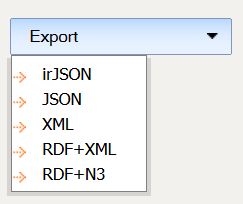
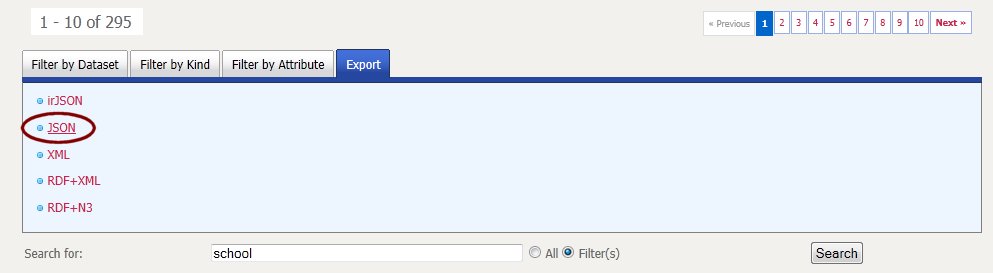
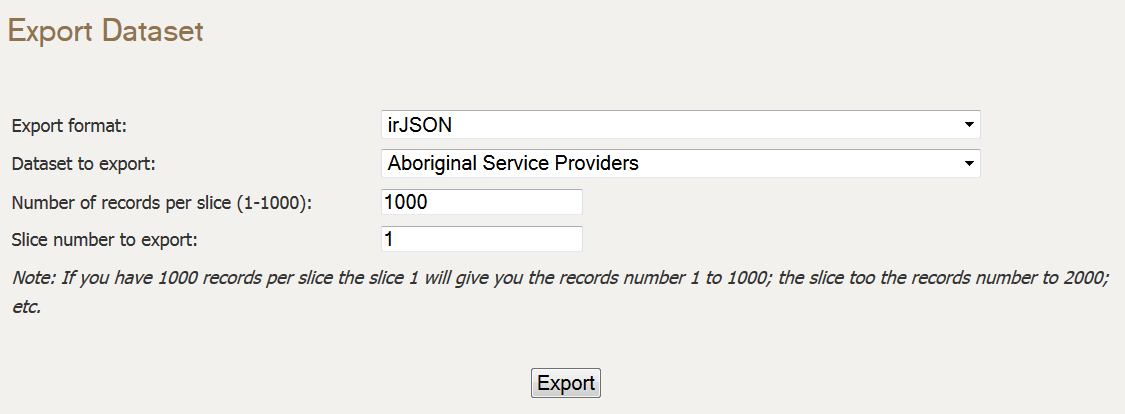
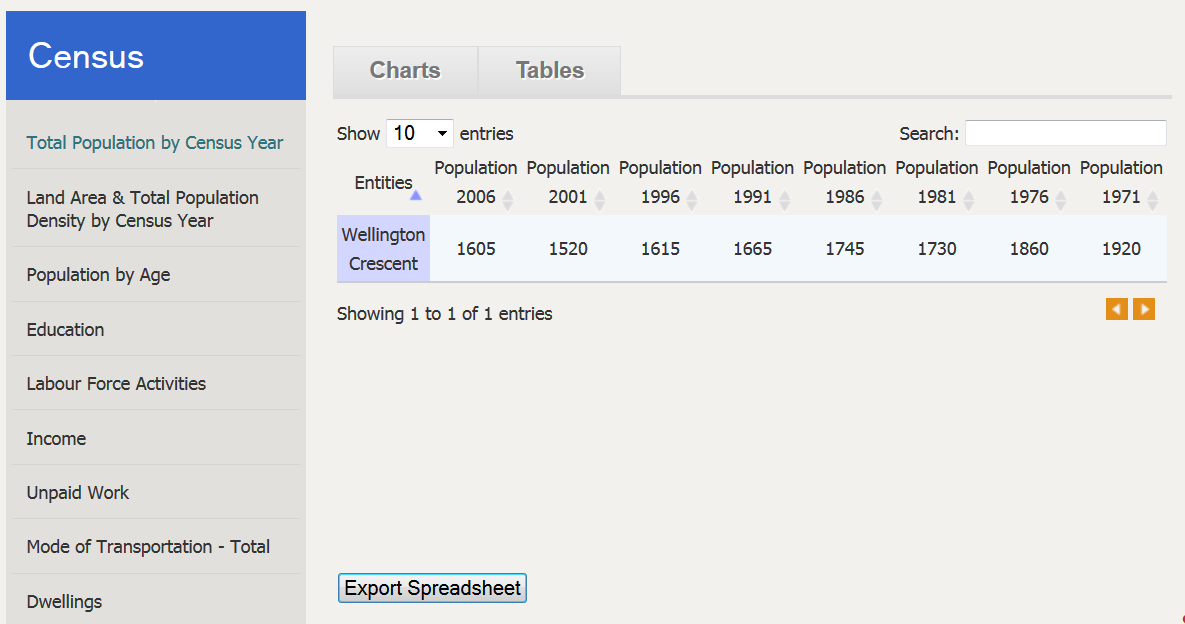
This is one of the ways to get data out of the system. A user can also export that same information from the Export features on the Browse, Search and Record View pages. Also, other methods will be explained in the next blog posts from this MyPeg.ca series.

All in all, this shows how effective structWSF can be to integrate, manage and publish a wide range of data in different data formats. It also shows how completely different parts of your software architecture can leverage your information, the way you want, from anywhere on the Internet.

MyPeg.ca – A Community Indicators Web Portal Using Semantic Web Technologies

Now that the MyPeg.ca project has been unveiled at the Winnipeg Poverty Reduction Partnership Forum, I can now start to write about each and every feature of this innovative website. Peg

MyPeg.ca is a public indicators Web portal for the Canadian city of Winnipeg. It is supported by an open-source semantic web framework called OSF. This initial beta version of the Web portal emphasizes the integration, management, exploration and display of a few hundred Well-being indicators’ data for the city.

This community indicators portal is currently the best example of a Citizen Dan instance (by Structured Dynamics). MyPeg.ca has been developed using the complete OSF (Open Semantic Framework) technologies stack. It is the reason why I (we) are really proud to start writing about this new innovative project. Mike also published an article that talk about other characteristics of the Peg project.

However, this project would not have been possible without the vision and the dedication of the IISD and the United Way of Winnipeg teams along with their partners. Also, it would not have been that well designed without Tactica‘s high quality graphics and design work.

MyPeg.ca’s Technology Stack

The project fully integrates, and leverages, the OSF (Open Semantic Framework) technologies stack and is based on the Citizen Dan community indicators principles. In the coming weeks, I will write about all and every aspects of the portal, however let’s take a first general overview of what is in the box.

The OSF stack is represented by this beautiful semantic muffin:

OSF layers

OSF layers

Everything starts with MyPeg’s existing assets:

  1. Their Peg Framework which is the conceptual framework they created to analyze different facets of their community by leveraging a series of hundreds of indicators.
  2. The indicators data that they aggregated and collected from different federal, provincial, municipal and local sources
  3. The interviews they are performing with tens, and eventually hundreds, of Winnipeg citizens

Then all this data has been imported into the structWSF semantic data management framework by using two other pieces of technology:

  1. The indicators data is described using the commON irON profile, and is maintained by the IISD team using a set of Excel spreadsheets. Then the dataset have been imported using the structImport conStruct module.
  2. The interviews have been analyzed, tagged and imported in the system by using the Scones service and its structScones conStruct user interface.

Once all the data gets imported into the structWSF instance, it becomes available to all the conStruct modules, all the Semantic Components and all other tools that communicate with the structWSF web service endpoints.

Then ontologies have been used to describe the Peg Framework and to describe all the attributes of all the records (Neighborhoods, Cities, Community Areas and Stories). Already existing ontologies such as SCO have also been used for different criteria (such as driving the usage of the Semantic Component tools).

Then the sRelationBrowser, sDashboard, sMap, sStory, sBarChart and the sLinearChart Semantic Components along with the PortableControlApplication and Workbench applications have been used by Peg to create, manage, explore and publish information from their datasets.

Finally, the entire portal is published using Drupal and the set of conStruct modules. conStruct is the user interface to the structWSF web service endpoints. The mix of Drupal & conStruct templating technologies make it the perfect match to expose all the data, in different ways, by embedding different tools (such as the Semantic Components) depending on different criteria (user permissions, how the information is described into the system, etc.).

This is not a simple technology stack. However, this MyPeg.ca project is a good example of how an organization that never worked with semantic web technologies in the past have been able to has a long term vision of its objectives and how it understands that semantic technologies could help it to reach the aims of its vision. Then it demonstrates how everything has been integrated in an innovative Web portal.

Next Steps…

As I said above, in the coming weeks I will write about each of these technologies. I will show how each of them have been leveraged into the MyPeg.ca portal: how such generic tools have been used for highly specific tasks within the Peg project. Here is an overview of what is coming, where each main topic will result in a new blog post:

  • How to integrate MyPeg indicators data into any Web application by using the structWSF web service endpoint
  • Querying the MyPeg datasets, the geeky way, using the SPARQL endpoint
  • Six ways to get data out of the system
    • By using the CrudRead/Search/Browse web service endpoints
    • By querying the SPARQL endpoint
    • By dereferencing record URIs
    • By using the export features on any record view pages
    • By using the export features of the search/browse modules pages
    • By using the structExport conStruct module
  • How to use the explorer (sRelationBrowser) to browse conceptual structure and to display all kind of related information at each step
  • Use of Scones to analyze, tag, index and display unstructured data
  • Use of ontologies to drive the system
    • How ontologies are used to describe conceptual frameworks that drive these portals
    • How ontologies are used to drive the semantic components (SCO)
  • Use of the commON irON profile and conStruct to serialize indicators data and to import it into the system
    • The benefits of commON as a common ground between the semantic web practitioner and the client.
    • commON as a wonderful format to manage indicator related datasets by indicators practitioners.

So stay tuned, because plenty of innovative stuff is coming!

structWSF Web Services Tutorial

One thing that was hard to do with structWSF was explaining what structWSF is, and how users can interact with it. For most people, structWSF was abstracted behind conStruct and they didn't know that each single functionalities of conStruct was bound to one, or multiple queries to one, or multiple, structWSF instance.

It is the reason why we took the time to write a complete structWSF interaction tutorial. This tutorial explains what the general structWSF architecture is, and it describes a series of general interaction usecases. We hope that this tutorial will helps developers and system implementators understanding the capabilities of structWSF and how they can use it.

You can read the complete structWSF Web Services Tutorial here.

Additionally, we released a new version of structWSF, conStruct and the irJSON Parser which are products of this toturial.

commON and irJSON PHP parsers released

iron_logo_235Two days ago we released irON: Instance Record and Object Notation (irON) Specification. irON is a new notation that has been created to describe instance records. irON records can be serialized in 3 different formats: irXML (XML), irJSON (JSON) and commON (CSV: mainly for spreadsheet manipulations).

The release of irON has already been covered at length on Mike’s blog and in Structure Dynamics’s press room; so I won’t talk more about it here.

irON Parsers

What I am happy to release today are the first two parsers that can be used to parse and validate irON datasets of instance records. The first two parsers that have been developed so far are the ones for irJSON and commON. Each parser has been developed in PHP and is available under the Apache 2 licence. Now, lets take a look at each of them

irJSON Parser

The irJSON parser package can be downloaded here. Additionally, the source code can be browsed here.

First of all, to understand the code, you have to understand the specification of the irJSON serialization.

The irON parser package is everything you need to test and use the parser. The package is composed of the following files:

  • test.php – If you want to quick-start with this package, just run this test.php script and you will have an idea of what it can do for you. This script just runs the parser over a irJSON test file, and shows you some validation errors along with the internal parsed structure of the file. From there, you can simply use the irJSONParser class, with the structure that is returned to do whatever is needed for you: adding the information in you database, converting the data to another format, etc.
  • irJSONParser.php – This is the irJSON parser class. It parses the irJSON file and populates its internal structure that is composed of instances of the classes below.
  • Dataset.php – This class defines a Dataset records with all its attributes. It is the object that the developed has to manipulate that comes from the parser.
  • InstanceRecord.php – This class defines an Instance Records with all its attributes. It is the object that the developed has to manipulate that comes from the parser.
  • StructureSchema.php – This class defines a Structure Schema records with all its attributes. It is the object that the developed has to manipulate that comes from the parser.
  • LinkageSchema.php – This class defines a Linkage Schema records with all its attributes. It is the object that the developed has to manipulate that comes from the parser.

The irJSON parser also validates the incoming irJSON files according to these three levels of validation:

  1. JSON well-formedness validation – The first validation test occurs on the JSON serialization itself. A JSON file has to be a well formed in order to be processed. An error at this level will raise an error to the user.
  2. irJSON well-formedness validation – Once JSON is parsed and well formed, the parser make sure that the file is irJSON well-formed. If it is not well formed according to the irJSON spec, an error will be raised to the user.
  3. Structure Schema validation – The last validation that occurs is between instance records, and their related (if available) Structure Schema. If a validation error happens at this level, a notice will be raised to the user.

You can experiment with some of these validation errors and notices by running the test.php script in the package.

With this package, developers can already start to parse irJSON files and to integrate them with some of their prototype projects.

commON Parser

The commON parser package can be downloaded here. Additionally, the source code can be browsed here.

To understand the code, you have to understand the specification of the commON serialization.

The commON parser package is everything you need to test the parser. The package is composed of the following files:

  • test.php – If you want to quick-start with this package, just run this test.php script and you will have an idea of what it can do for you. This script just run the parser over a file, and shows you some validation errors along with the internal parsed structure of the file. From there, you can simply use the CommonParser class, with the structure that is returned to do whatever is needed for you: adding the information in you database, converting the data to another format, etc.
  • CommonParser.php – This is the commON parser class. It parses the commON file and populates its internal structure that is described in the code. the parser.

The commON parser also validates the incoming commON files according to these two levels:

  1. CSV well-formedness validation – The first validation test occurs on the CSV serialization itself. A CSV file has to be a well formed in order to be processed. An error at this level will raise an error to the user.
  2. commON well-formedness validation – Once CSV is parsed and well formed, the parser make sure that the file is CSV well-formed. If it is not well formed according to the CSV RFC, an error will be raised to the user.

You can experiment some of these validation errors and notices by running the test.php script in the package.

With this package, developers can already start to parsing commON files and to integrate them with some prototypes of their projects.

The commON parser is less advanced than the irJSON one. For example, the implementation of the “dataset” and the “schema” processor keywords are not yet done. Other keywords haven’t (yet) been integrated too. Take a look at the source code to know what is currently missing.

In any case, a lot of things can currently be done with this parser. We will publish specific commON usage use-cases in the coming weeks that will shows people are we are using commON internally and how we will expect our customers to use it to create and maintain different smaller datasets.

Conclusion

These are the first versions of the irJSON and commON parsers. We have to continue to development to make them perfectly reflecting the current and future irON specification. We yet have to write the irXML parser too.

I would encourage reporting any issues with these parsers, or any enhancement suggestions, on this issue tracked.

All discussions regarding these parsers and the irON specification document should happen on the irON group mailing list here.

Finally, another step for us will be to embed these parsers in converter web services for structWSF.


This blog is a regularly updated collection of my thoughts, tips, tricks and ideas about my semantic Web researches and related software development.


RSS
455


Follow

Get every new post on this blog delivered to your Inbox.

Join 18 other followers:

Or subscribe to the RSS feed by clicking on the counter:


RSS
455